| Home | Innovation | Azul | Crew | Development | Privacy |
Reads the full game log from Innovation 2-player tables and reconstructs the game state — hand contents and score piles according to revealed cards, and deck stack order with returned cards — displayed as a visual summary in a side panel. Supports the base game and the Echoes of the Past, Cities of Destiny, and Artifacts of History expansions (including the Relics variant).
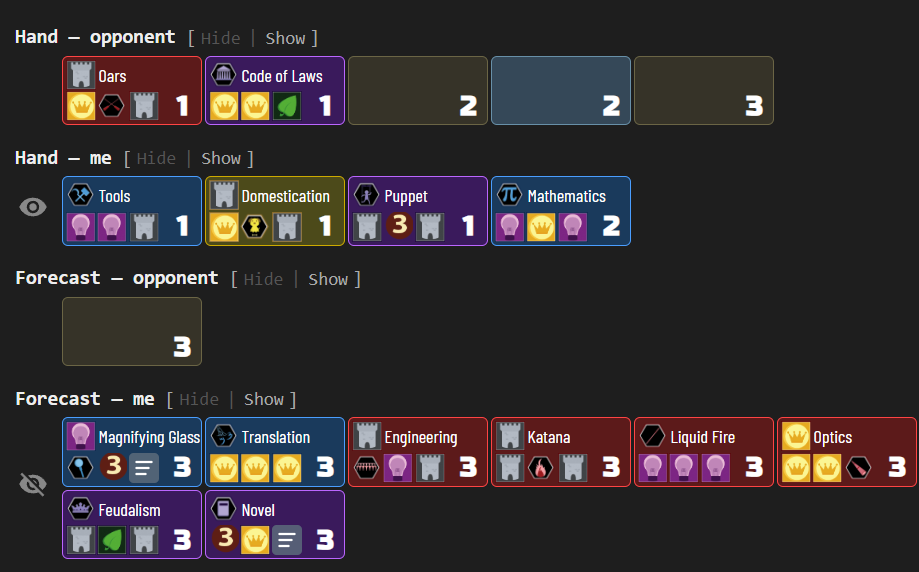
Hands, forecast and score
Each of those sections shows known cards with their name, icons, and age, while unknown cards appear as placeholders with just the age number and set. An eye icon represents opponent’s knowledge:
Turn history
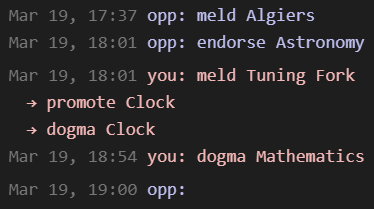
A compact sidebar shows recent actions — meld, draw, dogma, endorse, achieve, promote — with timestamps and player attribution. Each player’s row is rendered in their actual BGA-assigned color, and your own (“you”) row is highlighted with a subtle background tint of that color so it stays distinguishable regardless of which color BGA gave you. Compound actions (e.g. meld → promote → dogma) render as indented sub-action lines. Turns that begin with an Artifact on display show the pre-turn choice (pass, return, or dogma of that Artifact) as an italicized line above the regular actions:
Card list
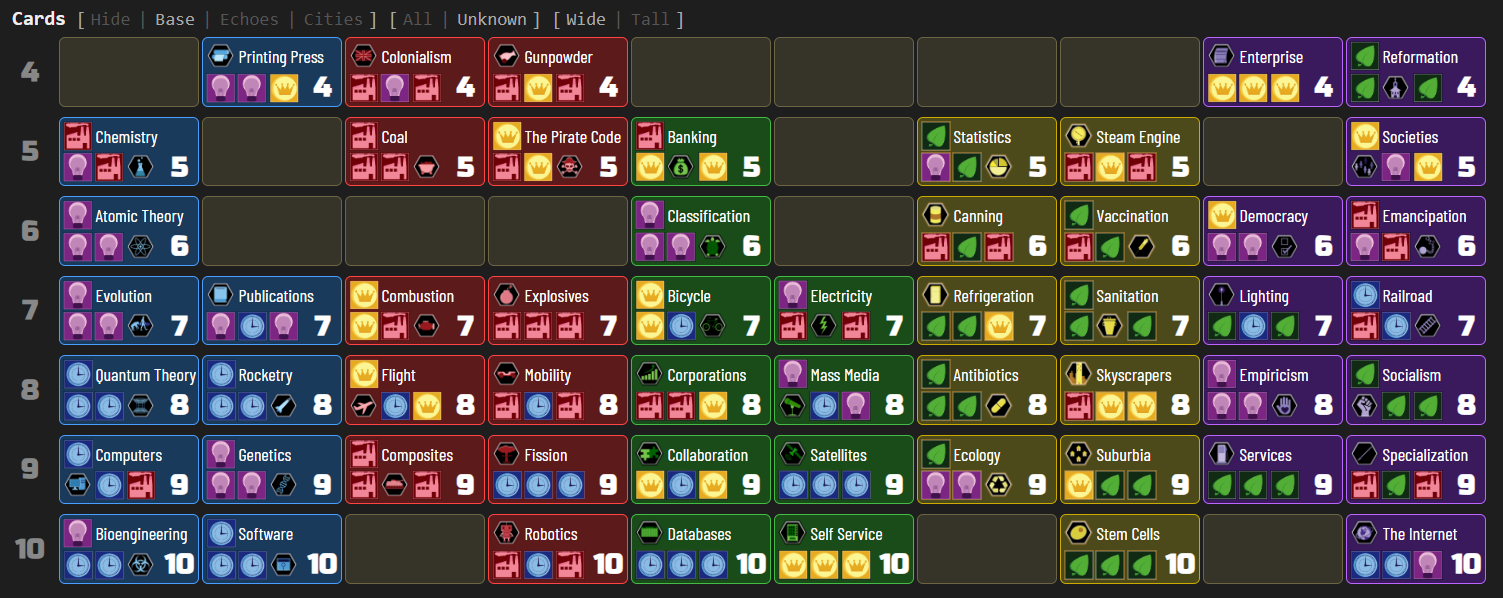
The card list lays out all cards in the game across ages, showing which cards have been identified and which remain unknown. Toggle between Base, Echoes, Cities, and Artifacts sets, filter to show only unaccounted cards, and switch between wide and tall layouts:
Deck
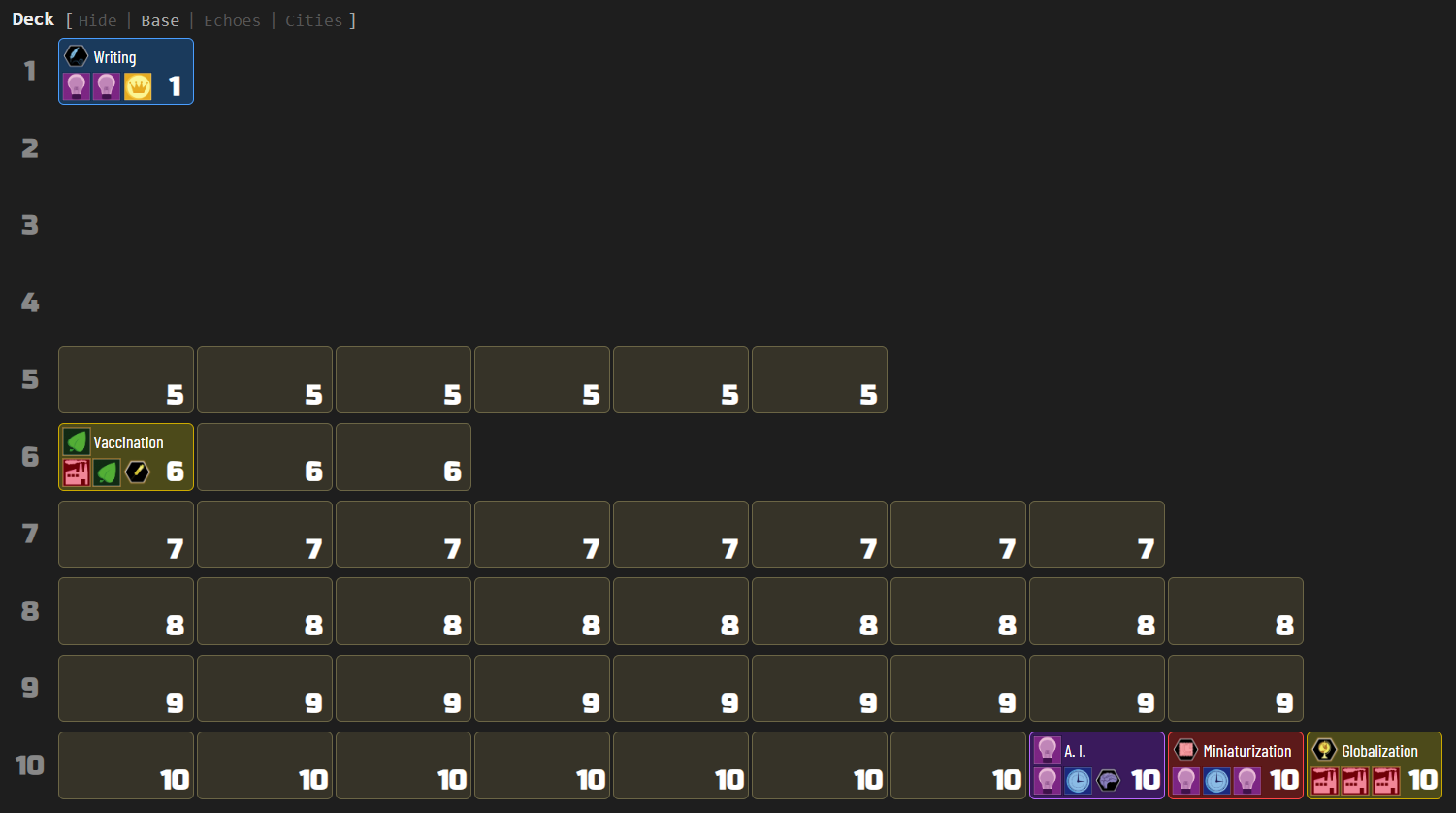
The deck section shows remaining cards per age, with known cards revealed by name and unknown cards as placeholders:
Game features
- Card grids: hands, scores, deck, full card list, achievements
- Set toggle: switch between Base, Echoes, Cities, and Artifacts card sets for deck and card list
- Filter toggle: All / Unknown (show only unaccounted cards)
- Layout toggle: Wide (one row per age) / Tall (color columns)
- Turn history: compact chronological display of recent actions (meld, draw, dogma, endorse, achieve, promote) with card name tooltips; compound actions (e.g. meld → promote → dogma) render as indented sub-action lines; pre-turn Artifact decisions (pass, return, or dogma) render as an italicized line above the turn’s actions; each player’s row uses their actual BGA-assigned color, with the observer’s row tinted for distinction
- Player labels: “Show player names” toggle in the display menu switches turn-history labels between “you/opp” (default) and full BGA player names; coloring applies in either mode
- Section selector: eye button to show/hide entire sections (including turn history visibility)
- Hover tooltips: card face images with full card details on hover
Standard features
- Live tracking: while the side panel is open, the display automatically updates when the game progresses — a green status dot appears in the status bar
- Auto-update: while the side panel is open, switching to another supported game tab automatically extracts and displays its state
- Status bar: shows the table number and live tracking indicator
- Auto-hide: three-mode toggle controlling side panel behavior — Never (always open), Leaving BGA (closes on non-BGA tabs), Leaving tables (closes when navigating away from supported game tables)
- Keyboard shortcut: configurable via
chrome://extensions/shortcutsto toggle the side panel open/closed - Lit icon: the toolbar icon glows when the active tab has a supported game table open
- Per-game zoom: side panel zoom level is saved independently for each game and the help page
- Persistent settings: all toggle states, section visibility, and pin mode are saved across sessions
- Download: bundled zip with raw data, game log, game state, and standalone summary — attach this archive with a short description if you notice a bug, and I’ll prioritize fixing it!