A Chrome extension for Board Game Arena that keeps track of your games so you don’t have to.
Turn-based games on BGA can stretch across days or weeks — by the time it’s your turn, you may have forgotten what was drawn, returned, transferred, or scored several moves ago. BGA Assistant reads the game log and reconstructs the complete picture for you. It also keeps local statistics of how much time you spend playing, per game and table. The side panel includes a built-in help page — click “?” for a detailed guide on each game’s features.
Features
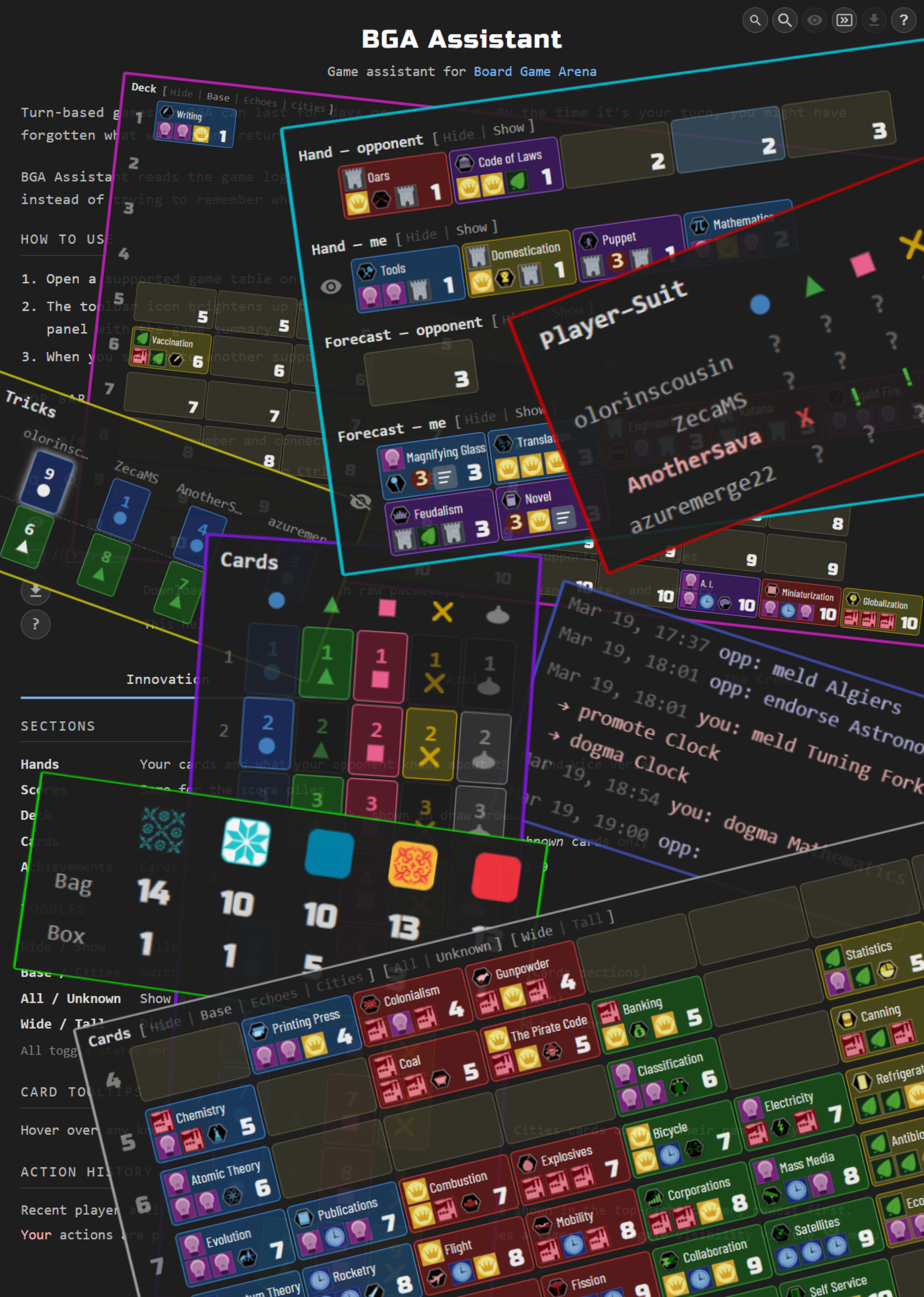
Innovation — Reads the full game log from Innovation 2-player tables and reconstructs the game state — hand contents and score piles according to revealed cards, and deck stack order with returned cards — displayed as a visual summary in a side panel. Supports the base game and the Echoes of the Past, Cities of Destiny, and Artifacts of History expansions (including the Relics variant).
Azul — Tracks the tile bag and discard pile (box lid) for Azul tables with any player count. Particularly helpful in 2-player games where the full bag is depleted in exactly 5 rounds. Displays remaining tile counts per color in a compact table so you always know what’s left to draw.
The Crew: Mission Deep Sea — Tracks played cards and communication signals to deduce remaining cards in players’ hands for The Crew: Mission Deep Sea tables with any player count. The side panel displays a card grid, a player-suit matrix and a trick history, all updating live as cards are played, and on a mission whose tasks are distributed by free selection it keeps what every player said about them.
Nucleum — Reads the game log from Nucleum tables with 2-4 players and rewrites it as one line per turn: who was on turn, and which actions they chose. Nucleum keeps nothing secret — tiles, contracts, technologies and the whole map are open — so there is nothing to deduce; what the side panel adds is a record you can scan, with every thaler, worker and income step BGA’s own log spells out left off. The same history can replace BGA’s log on the table itself.
Play-time tracking — Automatically tracks how much time you spend playing on BGA — for every game and table, not just the supported ones. The clock runs only while a game table tab is focused, pauses when you step away, and a stats page shows daily, weekly, and monthly charts per game with session and per-table summaries.
Install
Next steps
- Games — per-game trackers for Innovation, Azul, The Crew and Nucleum, plus how the side panel works
- Play-time tracking — automatic play-time stats for every BGA game and table
- Developer guide — build from source, project structure, data flow, and testing
- Privacy policy — what data the extension does and doesn’t touch
Acknowledgments
Card icons and images are from bga-innovation, Micah Stairs’ BGA implementation of Innovation (Carl Chudyk, Asmadi Games). Tile sprites are from BGA’s implementation of Azul (Michael Kiesling, Plan B Games).